5-Day Professional AI Curriculum
Unlock the Power of AI for Your Professional Growth
Join our intensive 5-day AI course to boost your productivity,
creativity, and skills with real-world AI tools. Master AI in writing, video
generation, design, and development.
The Curriculum
What You'll Learn
A comprehensive 5-day journey through the most powerful AI tools for
professionals.
Day 1
Introduction to AI & ChatGPT for Professional Use
Introduce AI fundamentals and the powerful capabilities of ChatGPT for content generation, professional communication, and problem-solving.
- AI fundamentals (Narrow vs. Generative AI) How ChatGPT & LLMs work
- Business & productivity use cases
- Prompt writing basics
- Ethical use of AI
Hands on activity:
- Writing effective prompts
- Creating emails & content
- Summarizing documents
Outcome: Learners will understand the fundamentals of AI and confidently use ChatGPT for professional writing, content creation, and problem-solving.
Day 2
Exploring AI Assistants for Business Efficiency
Learn to compare and integrate AI tools for improved workflow and
decision-making.
- Overview of Leading AI Assistants
- Understanding AI Assistant Outputs
- Integrating AI Assistants into Professional Workflows
Hands on activity:
- Cross-test a business brief with different AI tools and compare results.
- Construct multi-tool workflows for complex tasks.
- Hands-on research tasks with verification.
Outcome: Learners will be able to confidently integrate and leverage multiple AI tools for optimal productivity, selecting the best assistant for various tasks.
Day 3
AI Video & Avatar Creation for Professional Content
Learn to use AI tools for creating videos, avatars, and repurposing content for social media.
- Fundamentals of Text-to-Video Conversion
- AI Avatars and Voice Synthesis
- Repurposing Content for Marketing & Social Media
Hands on activity:
- Creating a short AI-generated video using Veo/Flow
- Producing an AI avatar explainer video using HeyGen
- Editing and converting long-form content into social clips with Revid
Outcome: Learners will gain proficiency in producing professional-grade videos and avatars for marketing, social media, and education.
Day 4
Leveraging AI for Design & Presentations
Master AI tools for creating presentations, visual storytelling, and branding materials, ensuring brand consistency.
- Designing AI-Generated Presentations
- Enhancing Brand Consistency with AI
- Creative Control and Iteration Strategies
Hands on activity:
- Build a professional slide deck with Gamma AI.
- Create brand-aligned visuals using Recraft AI and Suno AI.
- Integrate visuals into a cohesive presentation.
Outcome: Learners will be equipped to design professional, consistent presentations and visuals using AI tools, streamlining content creation processes.
Day 5
Building Websites & Games with AI
Learn to create websites and games using AI-powered no-code tools for prototyping, deployment, and showcasing.
- No-Code / Low-Code Website & Game Development
- Deployment and Showcasing of AI Projects
Hands on activity:
- Create a website with Lovable AI.
- Build an interactive web app or small game with v0.
- Customize layouts with prompts and minimal code.
Outcome: Learners will be able to build and deploy simple websites or interactive apps/games, showcasing their AI creations.
Why Choose Us
Why Learn AI with Us?
AI skills are no longer optional—they’re essential. Our course gives you the
practical knowledge to stand out in your field.
Boost Your Productivity
Streamline tasks with AI-powered assistants that handle repetitive work, allowing you to focus on what matters most.
Create Professional Content
Master video creation, presentations, and design using cutting-edge AI tools that deliver stunning results.
Future-Proof Your Career
Learn the most in-demand AI skills that employers are actively seeking in today's rapidly evolving workforce.
Hands-On Experience
Apply what you learn in real-world projects. Walk away with a portfolio of AI-powered creations.
Your Guide
Meet Your Instructor
Learn from an expert who’s passionate about teaching kids the magic of AI!


Bishal Mahat Chhetri
AI Education Specialist & Technology Consultant
Bishal Mahat Chhetri is an AI expert with over 5 years of experience in AI education and enterprise technology consulting. He has trained over 5,000 professionals across Fortune 20+ companies and helped organizations successfully integrate AI into their workflows.
- 5+ Years Experience
- 5,000+ Trained
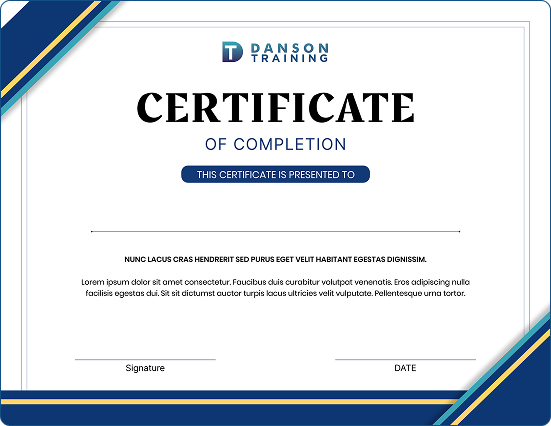
Certificate
Certificate on comletion
Testimonials
What Our Students Say
Join hundreds of professionals who have transformed their careers with AI
skills.
“This course was exactly what I needed to take my content creation to the next level. I now use AI tools everyday in my work and have cut my content production time in half!”
Michael Chen
Marketing Director, TechStart Inc.
“I was able to apply AI to improve my workflow and productivity immediately. The hands-on approach made everything click. Highly recommend this course!”
Emily Rodriguez
Data Analyst, Global Analytics
“The AI video and design modules
were game-changers for my team.
We’ve revolutionized how we approach client presentations and content production.”
David Thompson
Creative Director, Brand Studio
faq
Frequently Asked Questions
Got questions? We’ve got answers.
What is the duration of the course?
Who can take this course?
Students need a laptop or desktop computer with a stable internet connection. We recommend Chrome or Firefox browsers. No prior coding experience is required – we teach everything from scratch! All AI tools used in the course are web-based and free to access.
Do I need any prior experience in AI?
Students need a laptop or desktop computer with a stable internet connection. We recommend Chrome or Firefox browsers. No prior coding experience is required – we teach everything from scratch! All AI tools used in the course are web-based and free to access.
What tools will we use during the course?
Students need a laptop or desktop computer with a stable internet connection. We recommend Chrome or Firefox browsers. No prior coding experience is required – we teach everything from scratch! All AI tools used in the course are web-based and free to access.
What happens if I miss a class?
Students need a laptop or desktop computer with a stable internet connection. We recommend Chrome or Firefox browsers. No prior coding experience is required – we teach everything from scratch! All AI tools used in the course are web-based and free to access.
Will I receive a certificate upon completion?
Students need a laptop or desktop computer with a stable internet connection. We recommend Chrome or Firefox browsers. No prior coding experience is required – we teach everything from scratch! All AI tools used in the course are web-based and free to access.
Is there a money-back guarantee?
Students need a laptop or desktop computer with a stable internet connection. We recommend Chrome or Firefox browsers. No prior coding experience is required – we teach everything from scratch! All AI tools used in the course are web-based and free to access.
Investment
Course Pricing
Invest in your future with skills that pay dividends for years to come.
🎉 Early Bird Special!
Complete 5-Day Program
$299
$100
Early Bird: 10% off until December 30th
- 5 days of live, interactive training
- Access to 10+ premium AI tools
- Hands-on projects & exercises
- Capstone project with feedback
- Certificate of completion
- Lifetime access to course materials
- Private community access
- 1-on-1 Q&A sessions
Register Now
Ready to Transform Your Career?
Join hundreds of professionals who are already mastering AI. Secure your spot
now and start your transformation.
What's included:
- 5 days of intensive AI training
- Lifetime access to materials
- Hands-on projects & exercises
- Certificate of completion
Capstone Project: Showcase Your Skills
At the end of the course, you’ll complete a final project incorporating all the
tools you’ve learned—demonstrating your proficiency and readiness to apply
AI in your work.
Live Demo
Present your AI-powered website or application with a live demo or exported bundle.
2-Minute Video
Create a demo video showcasing your project and the AI tools you've mastered.
1-Page Summary
Document the tools used and your project architecture in a concise summary.